
Exam management software for Pakistani schools
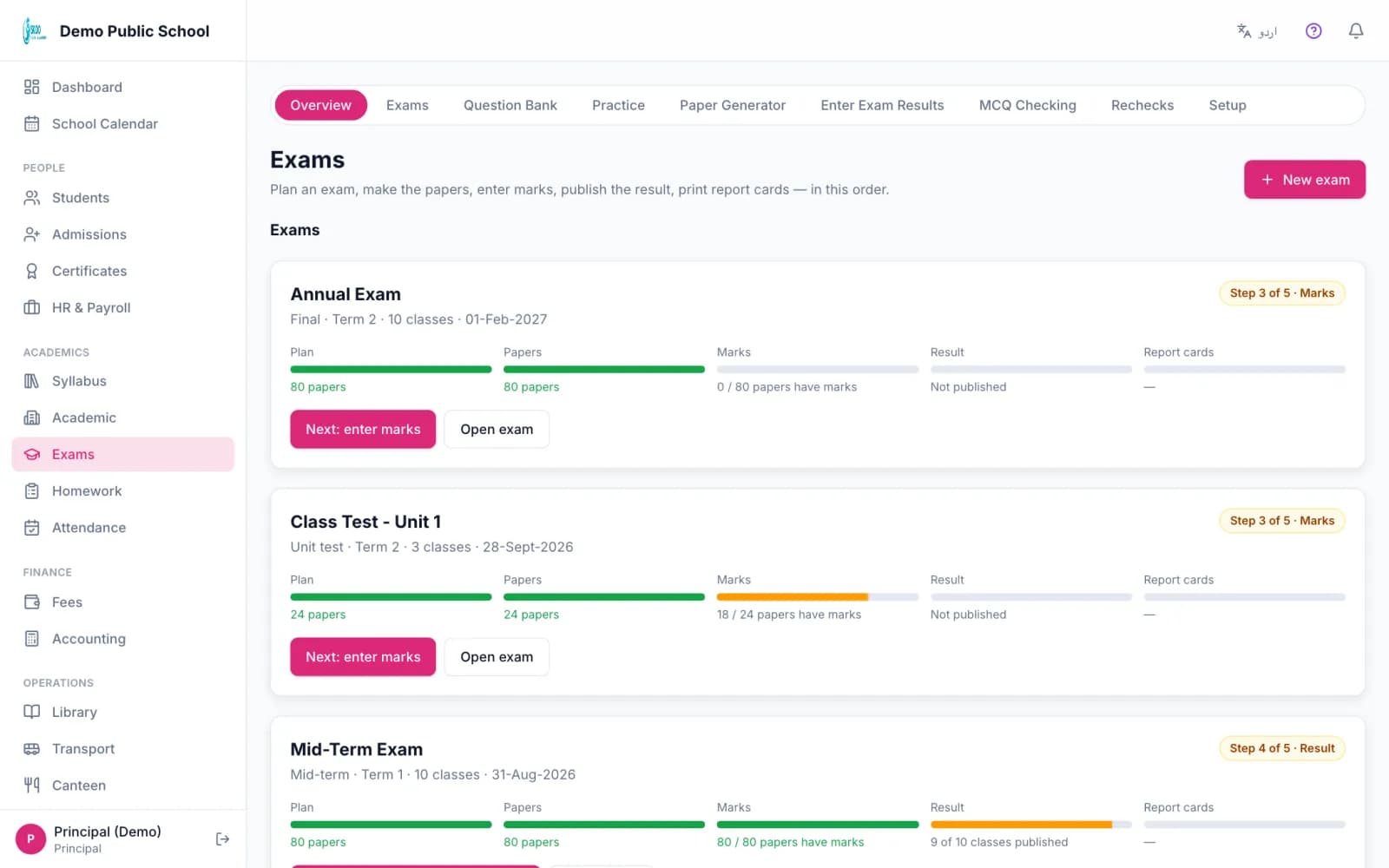
Skoo runs the whole exam from one page: plan the exam for many classes, make the papers, enter marks, check the result, publish it to parents and print report cards for a full class. Each step shows what is done and what is next.
Plan one exam for many classes
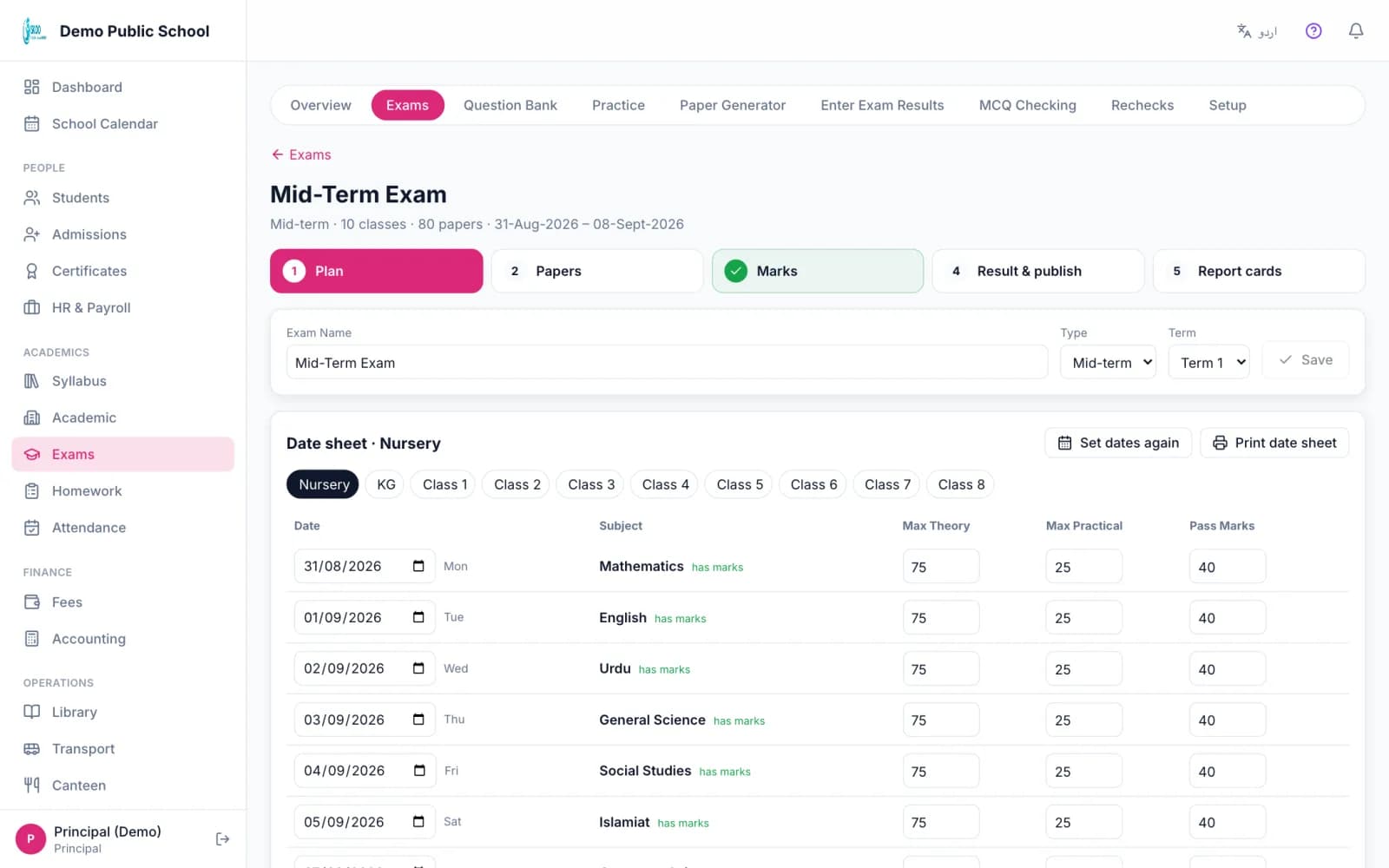
A mid-term for ten classes used to mean ten exams and seventy forms. In Skoo you make one exam, tick the classes and set the first date. Every subject is added for you, with the marks you set once in Setup.
The date sheet skips Sundays and holidays. You can change any paper's date, then print the date sheet for all classes on one grid, and roll number slips with the student's photo, four to an A4 page.
Make each paper from the Question Bank
From the exam page you open the paper maker already set to that class, subject and date. The chapters taught before the paper date come ticked from the Scheme of Study, with buttons for all taught, since the last exam, or the whole book.
The paper stays attached to the exam, so you can print it or take it off later. Teachers see their own subjects and a list of exam papers still to make.
Enter marks and see who is late
A colour grid shows every class and paper with the teacher's name and how many marks are in. The principal can open any paper and enter marks there. Teachers see only their own papers, on the web and on the phone.
Mark a student absent with one button. You decide in Setup whether absent counts as zero or is left out of the total, for example when the absence is medical. One tap sends an app reminder to every teacher who has marks missing.
Your marking rules, not ours
- Marks parts: written, practical, oral, project, or your own part such as behaviour or Hifz.
- Attendance can supply a part automatically, using bands you set (95 percent and above gets 5, and so on). Class tests can supply a part too.
- Pass mark per subject (33 or 40), fail in one or two subjects means re-exam, and grace marks.
- Grading scales: school A+ to F, Board style, GPA 4.0, remarks only for Nursery and KG, or your own.
- Position in class where equal marks share a place and students who failed get no position.
Check the result, then publish
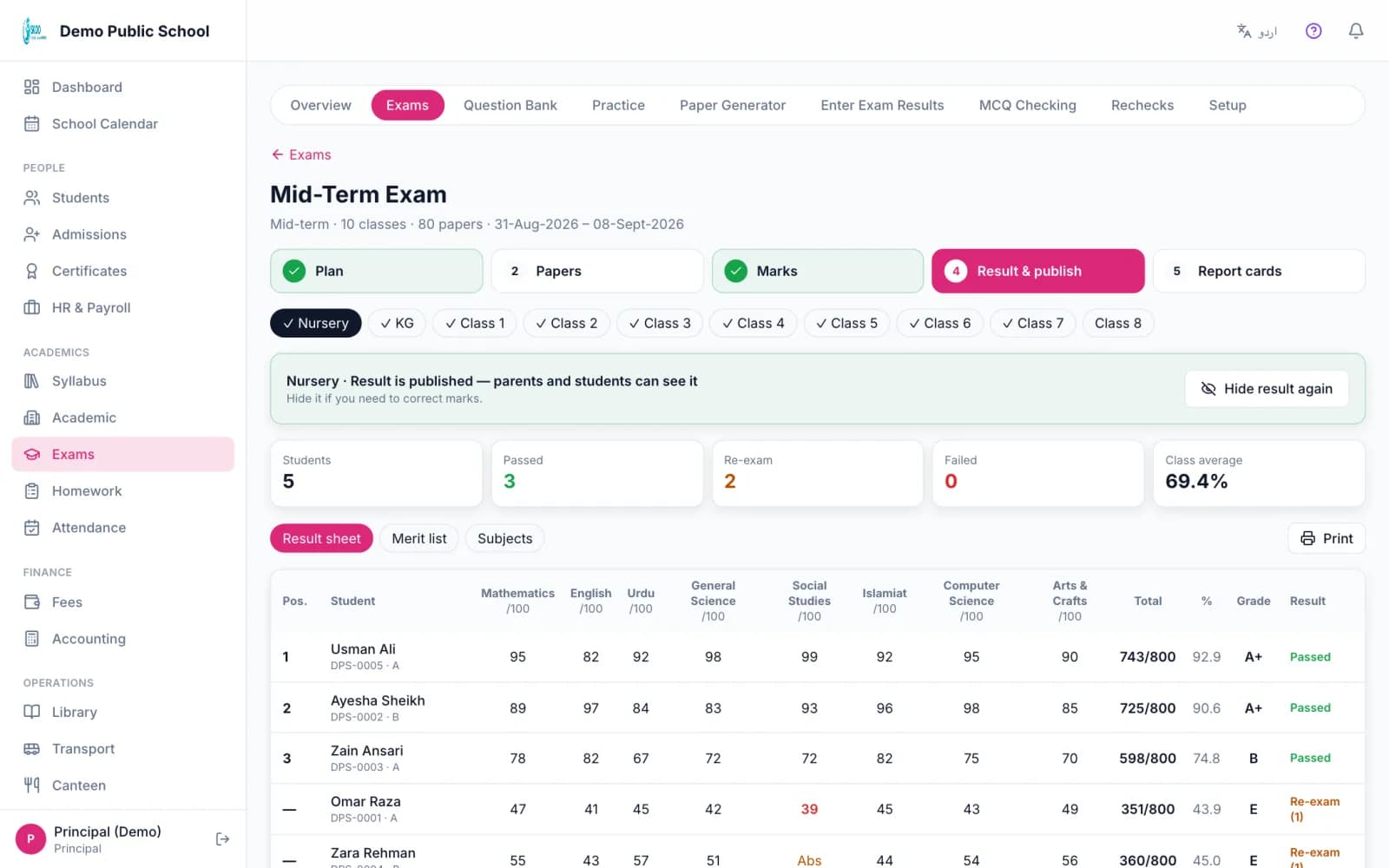
The result sheet shows passed, re-exam and failed counts and the class average. The merit list and subject analysis print from the same screen. Publish class by class. If you published too early you can take it back.
Parents and students see a result in the app only after you publish it.
Report cards for the whole class
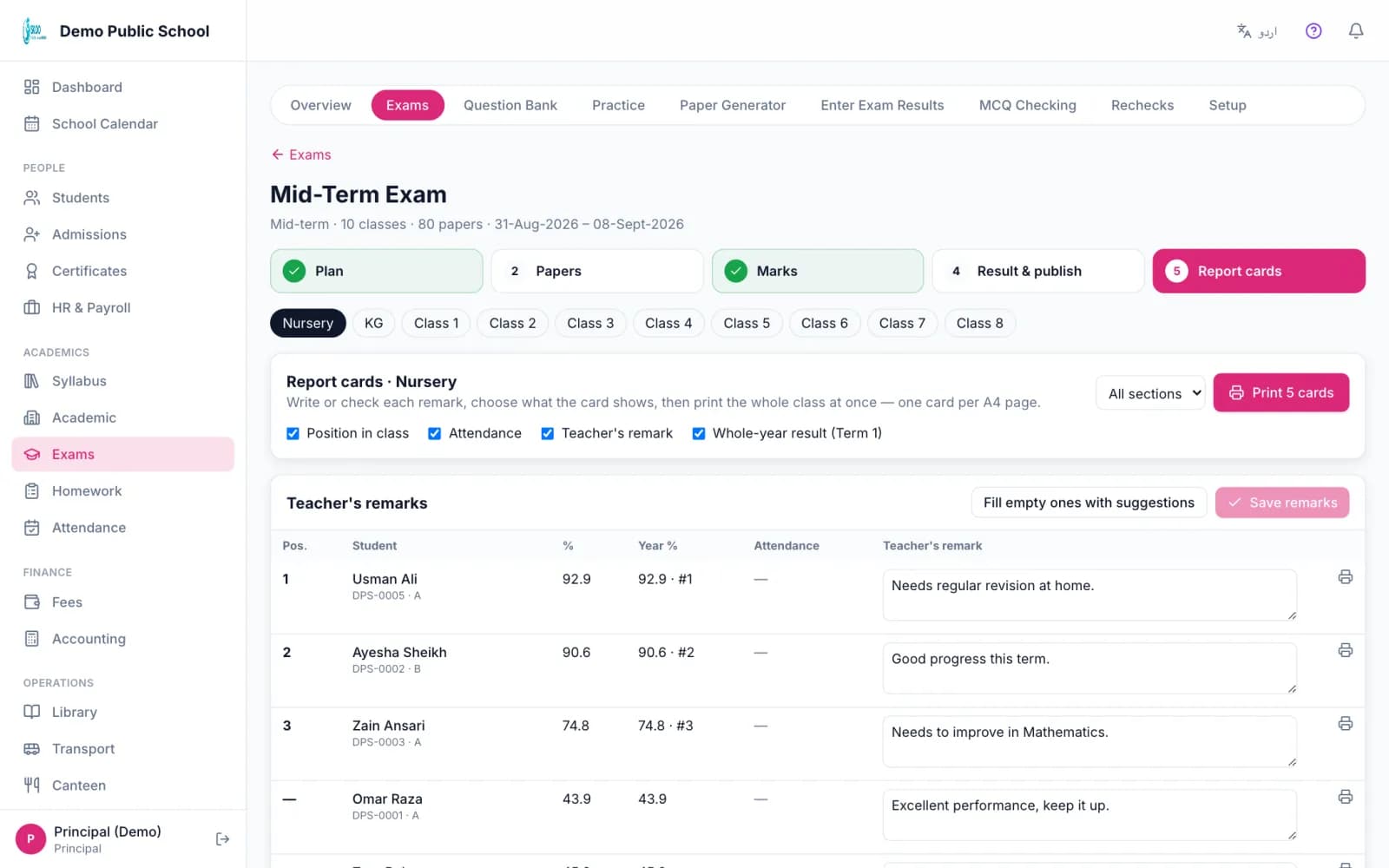
Print every card of a class or section in one go, one card per A4 page. You choose what each card shows: position, attendance in the term, a teacher remark, the next class, and the year result.
Remarks can be filled with suggested wording. These are fixed sentences picked by result band, not written by AI. The year result can add the terms by weight, use the final exam only, or add all terms together.
In the product
Screenshots from the Skoo demo school. The names and numbers are sample data.
Good to know: what it does not do
- Skoo does not handle college semesters, credit hours or CGPA across semesters.
- The date sheet is printed or shown on screen. It is not sent to parents as a message yet.
Questions, answered.
Can I use my own grading scale?
Yes. Pick a ready scale or build your own, and choose a scale for each class. You can also show the percentage next to the grade.
Can teachers enter marks on their phones?
Yes. The Android app lists the papers open for marks, with counts. Teachers enter written or practical marks, or mark Abs.
Do parents see results automatically?
Only after you publish. You publish class by class and can take it back.
Does it print report cards for a whole class?
Yes. Pick a class or section and print all cards, one per A4 page.
Can one exam cover many classes?
Yes. Tick the classes when you make the exam. Every subject is added for each class.
See it with your own school's data.
Book a free 30-minute demo. We will walk through this part of Skoo and answer your questions.
Book a Free Demo